Electronic Scientific Poster Guide (2026)
Design an electronic scientific poster for conference screens with the right dimensions, font sizes, file format, hierarchy, and accessibility.

Scientific illustration and research communication studio
Published 27 July 2026
Last updated 27 July 2026 · 6 min read
What is an electronic scientific poster?
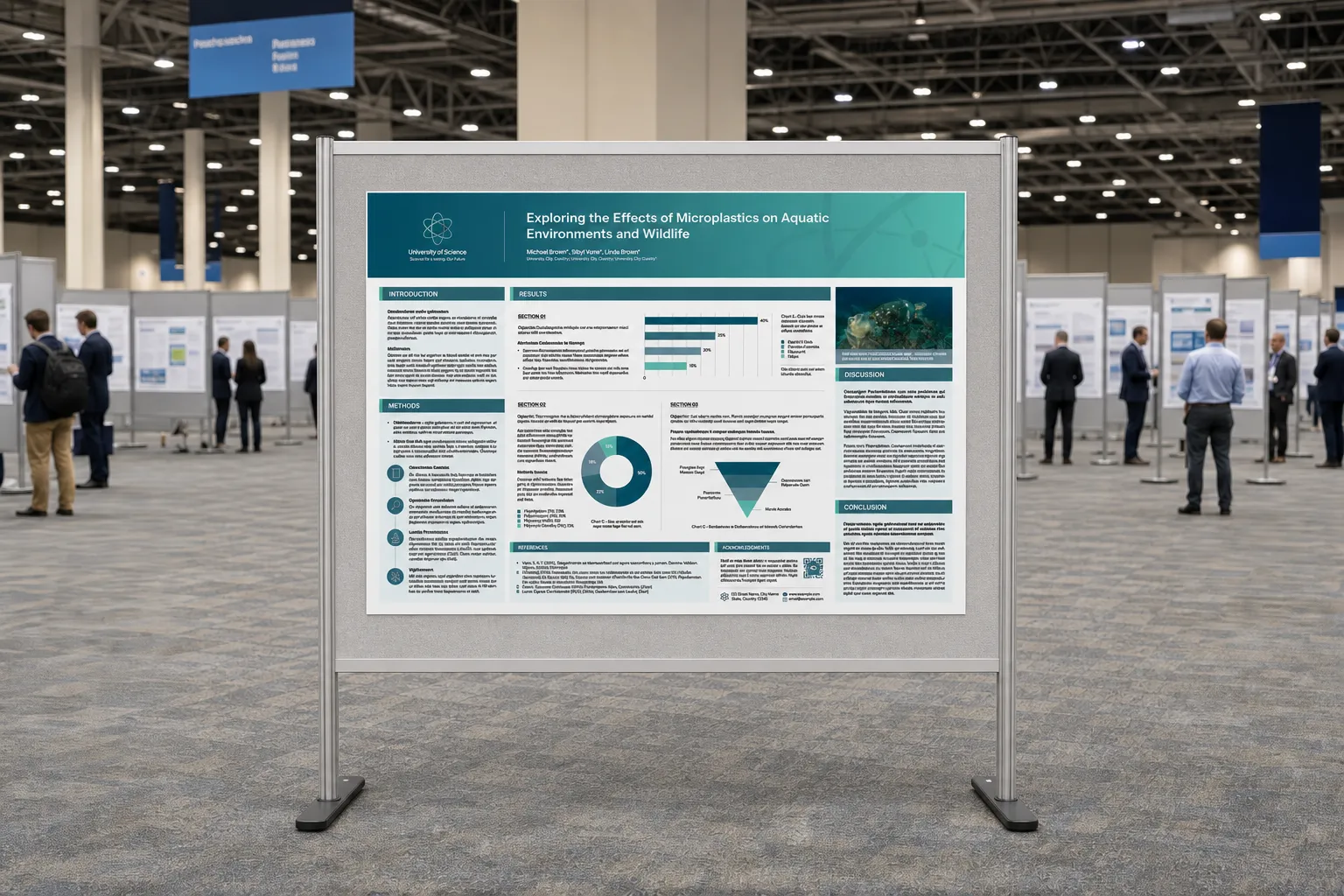
An electronic scientific poster is a research poster designed for a digital screen, online conference platform, or interactive display. It may be a single static page, a short sequence of slides, or a poster with linked supporting material.
The scientific communication goal is familiar: explain the research question, evidence, and conclusion quickly. The viewing conditions are different. Screen size, aspect ratio, viewing time, brightness, interface controls, and file limits all influence design.
Search Console already shows people reaching Lattice Visual through queries related to electronic scientific posters. That intent is distinct from general print-poster design because the user often needs immediate technical answers about screens and submission formats.
What should you confirm before designing an ePoster?
Confirm the event specification before adapting a template. Electronic poster requirements vary more than printed board formats.
Collect:
- pixel dimensions or aspect ratio;
- portrait or landscape orientation;
- static page, slide sequence, or video format;
- accepted file types;
- maximum file size;
- animation, audio, and hyperlink permissions;
- display duration or automatic advance timing;
- accessibility, caption, and disclosure requirements;
- upload deadline and file-naming convention.
Kean University’s 2026 electronic poster guidelines are a useful example of event-specific instructions. Your own conference may use different settings, so its official guidance remains the final authority.
How is an electronic poster different from a printed poster?
An electronic poster is viewed through emitted light and may appear on anything from a large display wall to a laptop. A printed poster is usually read at a stable physical scale.
| Feature | Electronic poster | Printed poster |
|---|---|---|
| Primary constraint | Screen and platform specification | Board and printer dimensions |
| Colour | RGB and display brightness | Printer, paper, and colour profile |
| Interaction | May allow links, animation, or navigation | Static with optional QR code |
| Viewing | Variable screen and dwell time | Stable physical scale and proximity |
| Export | PDF, image, slides, or video | Usually print-ready PDF |
Do not assume that a dense A0 poster will become readable when reduced to a 16:9 display. Adapt hierarchy and content for the actual environment.
What dimensions should an electronic scientific poster use?
Use the exact dimensions supplied by the event. If the event asks only for a 16:9 screen, a widescreen PowerPoint slide provides a practical starting ratio, but it is not a universal rule.
Microsoft’s PowerPoint slide-size guidance explains standard, widescreen, and custom sizes. Remember that changing dimensions after design may rescale or crop content.
Common scenarios include:
- 16:9 landscape for digital signage and conference screens;
- 4:3 landscape for older display systems;
- portrait digital boards;
- a conventional poster ratio displayed with margins;
- a sequence of 16:9 slides;
- a narrated MP4 exported from presentation software.
Set the final ratio first, then establish safe margins for platform controls or screen edges.
What layout works best on a conference screen?
The best screen layout gives the main finding the largest visual area and keeps the reading path short. Viewers may have less time than they would at a physical board.
A reliable static ePoster structure is:
- short title and author area;
- one-sentence research question;
- central figure or result occupying the largest region;
- compact method or study context;
- visible conclusion and implication;
- contact link, QR code, and required disclosures.
If the platform supports a short sequence, assign one job to each screen:
- problem and question;
- method or system;
- main result;
- conclusion and next step.
What font sizes should you use for an ePoster?
Font size should be chosen for the screen, distance, and platform. Pixel dimensions alone do not tell you how large text will appear physically.
Use relative hierarchy and test in realistic conditions:
- title readable from the expected standing distance;
- section headings visible during a quick scan;
- body text readable without browser zoom;
- chart labels and legends at least as legible as body text;
- QR code and contact details usable on the final display.
Reduce paragraphs before reducing font size. If content does not fit, remove or move supporting detail to a linked page.
The scientific poster design checklist gives practical hierarchy and content-reduction guidance that also applies to ePosters.
Should an ePoster include animation or interaction?
Animation and interaction are useful only when they clarify change, sequence, or exploration. They should not be added merely because the platform allows them.
Appropriate uses include:
- revealing steps in a mechanism;
- showing a time-dependent change;
- switching between treatment conditions;
- opening a detailed figure or method;
- linking to a paper, dataset, video, or research microsite.
Avoid autoplaying motion that competes with reading, short loops that cannot be paused, and navigation that hides the main conclusion. Provide a static fallback whenever possible.
For a deeper digital experience, an interactive research microsite can hold methods, data, and responsive views that do not fit inside a single poster.
How should images and charts be prepared?
Prepare every figure for the screen rather than pasting a publication panel unchanged. Remove unused legends, enlarge labels, and increase line weight where necessary.
Check:
- raster images are sharp at the display resolution;
- microscopy retains scale bars;
- charts use high-contrast axes and labels;
- colour is not the only distinction between groups;
- figure titles state the message;
- videos include captions;
- external links and QR codes work.
Use RGB unless the event specifies otherwise. Test gradients and dark backgrounds on multiple screens because projector and display contrast can vary.
What file format should you submit?
Submit the format requested by the event. A technically correct design can still be rejected if it uses the wrong format or exceeds the upload limit.
Use:
- PDF for a static poster that must preserve typography and vectors;
- PNG or JPEG for platforms that request a single image;
- PPTX when the organiser needs editable or multi-slide content;
- MP4 for narrated, timed, or animated poster formats.
Open the final file on another computer and inspect every page, font, image, link, and animation. Do not assume the export matches the authoring file.
What is the final ePoster checklist?
The final ePoster checklist covers specification, message, readability, accessibility, and delivery.
- Exact event dimensions and orientation used.
- File type and size meet the portal requirements.
- One main finding is visually dominant.
- Text is readable without zoom.
- Figures are adapted for screen display.
- Colour and contrast work on different screens.
- Links, QR codes, video, and audio have been tested.
- Required authorship, disclosure, and accessibility information is present.
- A static backup file is available.
Review scientific poster layout examples for print and screen structures. To create a poster, slide deck, and follow-up digital experience as one system, start a research communication project.